USB data blockers and juice jacking: what actually protects your phone
USB data blockers and juice jacking: what actually protects your phone
Airport charging kiosks carry power and data on the same four-pin connector, and "juice jacking" — attackers using the data lines while you charge — has been a recurring travel warning since 2011. The honest position in 2026: modern phones have closed most of this attack, hardware blockers exist to close the rest, and neither is a substitute for your own charger. Here is the evidence-backed picture and the gear that matches it.
What modern phones already do
Both major platforms now treat every USB connection as hostile by default. As the 2026 juice-jacking prevention guide at kennyvn.com documents, iPhones show a "Trust This Computer?" prompt and get power-only access if you decline, plus USB Restricted Mode locks the data pins after the phone has been locked for about an hour. Android defaults to "No data transfer" and only mounts files if you switch modes manually. The attack that made headlines assumed a phone that would auto-connect; current phones do not. If you never tap Trust and never switch modes, a plain malicious port has almost nothing to work with.
Apple and Google didn't do this out of caution — they did it because the attacks were demonstrated. A phone enumerating as a USB host to a fake charger, an HID injection pretending to be a keyboard, firmware pushed over ADB or iTunes services on a locked device: each was shown at a security conference, then each got a platform-level fix. The 2011-era juice-jacking threat is largely historical on a 2024-or-later phone. That's the good news, and it's worth knowing so you buy the right defence instead of reflexively distrusting everything.
Why hardware blocking still matters
The residual risks are older devices, tampered cables, and the negotiation phase itself. USB-C and USB-A handshakes — Battery Charging 1.2, Power Delivery — still require data-line communication. The USB-IF Battery Charging 1.2 specification is explicit that charger detection happens on the D+ and D− data lines: a device figures out whether it's plugged into a dedicated charging port by measuring voltage on those pins. USB-C's Power Delivery negotiation similarly runs over the CC pins. In other words, the phone is talking to the port before you've agreed to anything, and the phone is trusting whatever replies.
Security research summarised in Moonlock's January 2026 juice-jacking analysis notes agencies including the TSA actively warn travellers off public USB ports — and that the practical attack surface hasn't disappeared, it has narrowed to the handshake. A USB data blocker buyer's guide from commercialtoolry.com describes 2023 DEF CON demonstrations of modified kiosks installing surveillance firmware within 90 seconds of connection — no clicks, no prompts, no log entries. On legacy connectors (micro-USB, USB-A), where platform protections are weaker and "no data transfer" defaults are looser, that window is wider still.
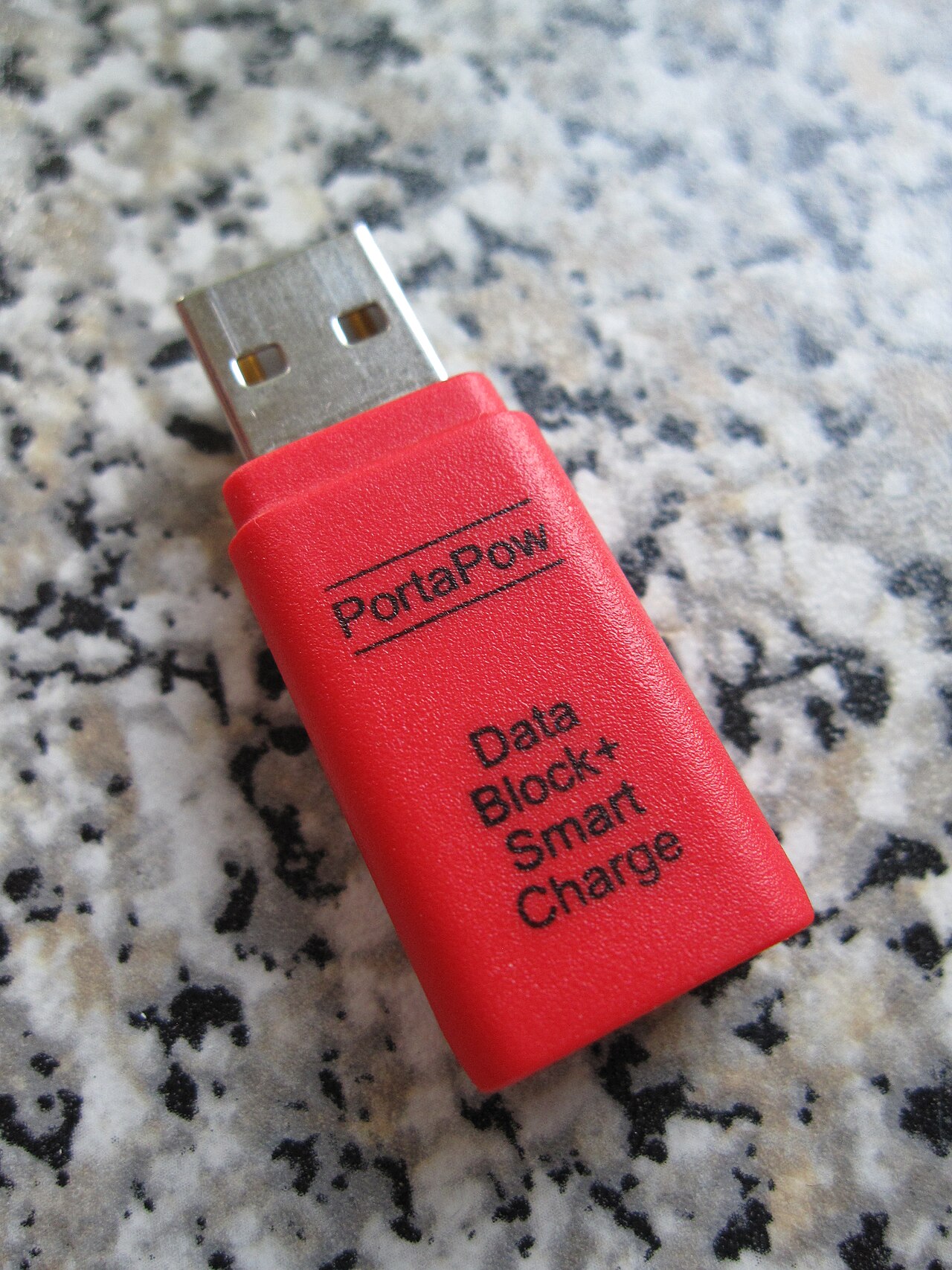
Physical blocking breaks that path regardless of what your operating system does, because the D+ and D− data pins are severed and only power and ground pass through. No handshake, no enumeration, no exploit surface. That is the whole point of the category: it is not a setting you remember, it is a piece of metal that cannot forget.
An honest caveat: because BC1.2 charger detection uses the data lines, a fully severed blocker forces the port into the most conservative charging mode. That's why our USB-C blocker's product page warns that fast-charging negotiation can be limited — the blocker is refusing to conduct the very conversation fast charging needs. Power, not speed. Some premium blockers pass CC lines for PD on USB-C while cutting the D lines; ours takes the simpler, more conservative route, and for a device you'll use at an airport for twenty minutes that's the right trade.
It's also worth knowing how the connector generations differ, because the defence story changes across them. USB-A, the classic rectangular plug, carries D+ and D− in a four-pin layout that was designed in an era when hosts and peripherals were separate machines — so a public USB-A port can enumerate as a USB host the moment your phone connects. USB-C moves the intelligence around: its CC pins negotiate power roles and current limits, its side is symmetric, and the protocol assumes devices will talk before they power up. That's better for chargers and worse for attackers in some respects, but it also means USB-C's extra complexity — alternate modes, audio accessory mode, debug modes — is more protocol surface, not less. The blocker's value holds across both: cut the pins that carry the conversation and the conversation can't happen.
What we stock, matched to the job
| Product | What it does | Limitations |
|---|---|---|
| USB-C Data Blocker (A$9.80) | Physically severs the data pins on a USB-C charge connection; power flows, data cannot. | Fast-charging negotiation can be limited — expect slower charge rates on some setups. |
| USB-C Microphone Blocker (A$13.09) | Blocks the audio-accessory path that wired headsets and some attack tools use. | Not a data blocker — pair it with one if you also charge from public ports. |
| FNIRSI FNB58 USB tester (A$45.39) | Shows live voltage, current and negotiated protocol, so you can verify a charger or blocker behaves. | A measurement tool, not a protection device. |
The FNB58 tester deserves a mention beyond travel security: if you have ever wondered whether a wall adapter is delivering what its label claims, or whether a blocker has degraded a charging negotiation, it turns guesswork into numbers. Plug it between charger and blocker, watch the negotiated voltage, and you'll know in seconds whether your setup is drawing 5 V at 500 mA or something more useful. It also settles arguments about bad cables, which it turns out are far more common than bad chargers.
A word on power banks, since the checklist starts there. A charged power bank is the single most effective defence in this entire category — no public port involved, no trust decision, nothing to block. But cheap power banks have their own quality problem: capacity claims that don't survive a test, and cell protection that skimped on certification. If you fly, the carry-on rules matter too (most airlines cap power banks at around 100 Wh and require them in the cabin, not checked luggage). Buy one from a brand that publishes its cell spec, verify it once with the FNB58 if you have it, and retire it when it starts getting warm for no reason.
A travel checklist that matches the evidence
- Carry your own power bank and your own wall adapter. Every credible source ranks this first — it removes the untrusted endpoint entirely. Wall sockets, unlike USB ports, carry no data at all.
- If you must use a public port, keep charge-only mode on. Don't tap Trust on iOS; leave Android on "No data transfer".
- Add the hardware blocker for high-risk trips. It enforces charge-only physically, so you are not relying on remembering a prompt. Plug it into the port, your own cable into it.
- Use only cables you bought yourself. A blocker defends the port side; it cannot help against a malicious cable with its own hidden radio. An O.MG-style implant puts a full WiFi-connected attack platform inside a cable moulding, and no port-side defence detects it. Check your cable stash the way you check your luggage: known items only.
- Verify at home. Connect your blocked setup to your own computer and confirm the phone never appears as a media device. If a data transfer prompt appears, the blocker has failed and should be replaced. This takes two minutes and is the only test that actually tells you your blocker works.
For Australian travellers the same rules apply at Sydney, Melbourne or Brisbane as anywhere: the threat is uncommon but real, the mitigation is cheap, and this is straightforward risk reduction — not legal advice, just engineering. If you want the broader picture on protecting a device you are already cautious about, our degoogled phone guides cover the software side.