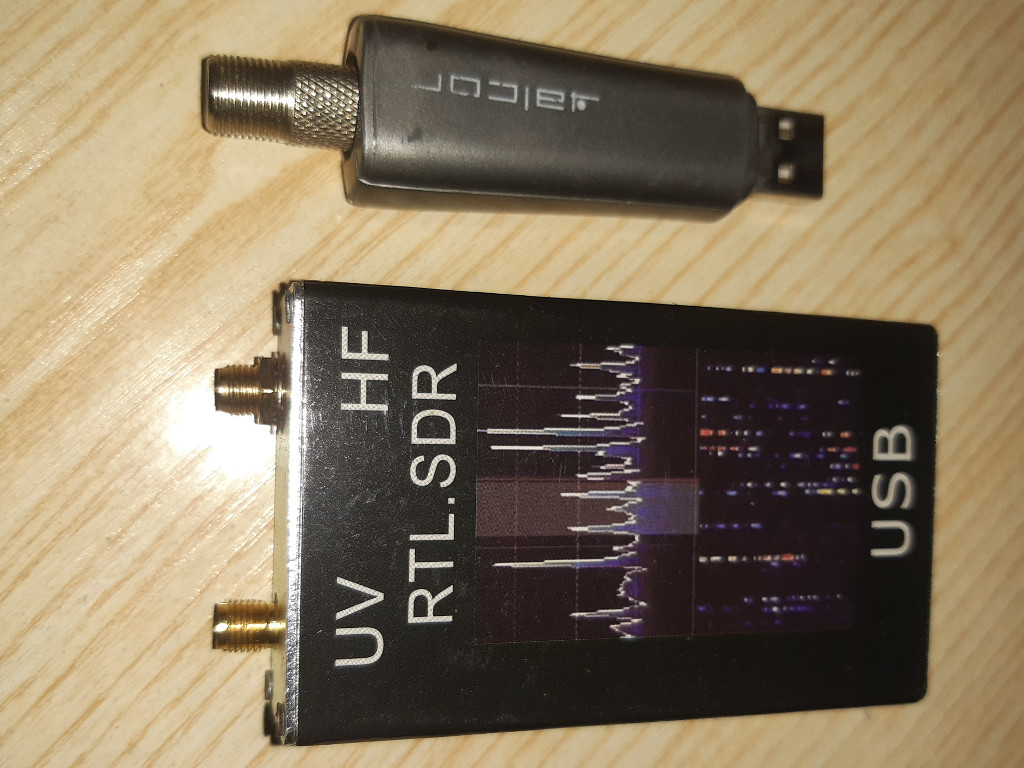
HF reception with RTL-SDR: upconverters, direct sampling, and what to buy
HF reception with RTL-SDR: upconverters, direct sampling, and what to buy
An RTL-SDR dongle is the cheapest serious software-defined radio you can buy, but out of the box it refuses to hear anything below roughly 24 MHz. That is exactly where shortwave broadcast, amateur radio, aviation weather, and time signals live. Two well-understood routes fix this: an HF upconverter, or direct sampling. This guide explains both, honestly, and matches them to the kits we stock.
Why the dongle misses HF
The RTL2832 demodulator was designed for DVB-T television, which lives at VHF and above, so the tuner range starts near 24 MHz. Below that, the chip cannot tune. As the r/RTLSDR community's HF reception guide puts it, VHF and UHF signals mostly travel in straight lines — HF is the band that bounces off the ionosphere and carries signals across the planet. If you want international shortwave, Amateur radio traffic, or HF aviation weather (relevant for anyone near Australian GA airfields), you need one of the two workarounds.
A little tuning arithmetic helps here, because both workarounds make sense once you see it. The RTL2832 samples at 28.8 MHz with a nominal 8-bit ADC, so by Nyquist it can digitise anything up to about 14.4 MHz — below the tuner floor but very much within the ADC's reach. You don't tune the tuner; you feed HF straight into the ADC and let software interpret what it sees. That's direct sampling. Or you shift HF up into the tuner's range and tune it normally — that's the upconverter. Same chip, two different plumbing choices, and the trade-offs below follow directly from the plumbing.
Route 1: an HF upconverter
An upconverter mixes the HF band (say 100 kHz to 30 MHz) up above the dongle's floor, typically to 125 MHz, by adding a local oscillator inside the converter. The dongle then tunes to the shifted frequency and your software subtracts the offset. A 7 MHz amateur band signal becomes 132 MHz as far as the dongle is concerned; SDR++ displays it correctly once you tell it about the −125 MHz offset.
The reference design here is the Nooelec Ham It Up v1.3, which handles 100 kHz to 65 MHz in upconvert mode and passes through untouched above that. Our Ham It Up v1.3 upconverter (A$71.71) pairs directly with the RTL-SDR V4 receiver kit with dipole antenna (A$36.18) — set your SDR software's offset to −125 MHz and start listening. The reason it isn't just a frequency shifter: the Ham It Up has a real front end, with an input filter that rejects everything outside the HF range before mixing. Strong AM broadcast stations are less likely to overload the receiver than with a bare dongle, because the filtering happens in hardware ahead of the mixer, not in software after the ADC has already clipped.
The honest downsides: it's another box, another set of cables, and a second frequency source that can drift. The oscillator is specified to a fraction of a ppm, but if you notice every HF station sitting a few hundred hertz off, that's the converter's clock, and most SDR software lets you nudge a correction constant to fix it.
Route 2: direct sampling
Direct sampling taps the RF signal straight into the RTL2832's ADC, bypassing the tuner entirely. The RTL-SDR direct sampling write-up on rtl-sdr.com documents the original hardware mod — a small solder job — and notes that from the V3 onward, the mod ships built in and can be switched on in software. Our V4 dongle carries the same feature, so the kit covers roughly 500 kHz to 24 MHz without extra hardware. One V4-specific gotcha: the RTL-SDR Blog V4 users guide notes that on the V4 you don't need to enable direct-sampling mode at all — you simply tune below 24 MHz with the vendor's drivers and it works. Activating the old direct-sampling software switch on a V4 yields nothing. If you've read a V3-era tutorial, assume the software steps differ and check the V4 guide.
The trade-off, well documented in the RTL-SDR Blog V3 user guide, is that direct sampling is more sensitive to overload: a strong local AM transmitter can blanket the whole band. The physics is simple — with no front-end filtering, everything the antenna hears reaches the 8-bit ADC, and an 8-bit converter has a limited dynamic range. One megawatt-class broadcast transmitter a few kilometres away can occupy enough of that range to bury the signals you actually wanted. If you live near a broadcast tower — several large AM transmitters sit around Australian capital cities — the upconverter's filtering is worth the extra cost.
A third consideration: legality, briefly
Reception needs no licence in Australia. Listening to shortwave broadcast, amateurs, aviation weather, or time signals on HF is lawful, which makes this the cheapest possible entry into radio. If you later want to transmit on HF you move into amateur licensing territory, and the ACMA amateur radio page explains the class licence arrangements that commenced on 19 February 2024, including qualification requirements. One practical note: some HF broadcast content is rebroadcast or restricted in Australia, so what you may listen to domestically differs from what you might relay onward — receiving is one thing, redistributing is another.
Which of our kits fits your job
| Route | What you need | Best for |
|---|---|---|
| Direct sampling (cheapest) | RTL-SDR V4 kit (A$36.18) on its own | Casual shortwave listening, HF aviation weather, time signals |
| Upconverted HF | V4 kit + Ham It Up v1.3 (A$71.71) | Serious HF listening near strong AM broadcast sites, better selectivity |
| Weak-signal HF | Add the NooElec LaNA low-noise amplifier (A$51.97) | Marginal antennas, portable or indoor wire antennas |
The amplifier row deserves a caution the table can't carry: an LNA amplifies everything, noise and interference included, so it helps only when the antenna is the bottleneck. Indoors in a city, an LNA usually makes overload worse, not better. It earns its money with a quiet rural antenna — a long wire in a paddock — where signals arrive weak and clean.
Practical takeaways for AU listeners
- Start with the V4 kit alone. Direct sampling will surprise you with how much of the HF broadcast band it hears, and you learn the software before adding hardware.
- Software offset: in SDR++ or GQRX, enable direct sampling (Q mode) or set a −125 MHz offset for the upconverter. On a V4 with vendor drivers, just tune down and listen. Getting this wrong is the number-one support question.
- Antenna matters more on HF than anything you buy indoors. A 10-metre wire out a window outperforms any whip. The kit's dipole is a reasonable start; its altitude matters less than its length and its distance from electrical noise sources like switch-mode power supplies and solar inverters.
- Time yourself against the schedule. HF is a daytime and a nighttime band with different propagation — 15 MHz signals come through in daylight, 6 MHz signals after dark. If your "dead" HF band frustrates you at 3 pm, check it again at 9 pm before blaming the hardware.
- Listening is lawful and licence-free in Australia; transmitting is not. Keep the lawful-use line clear and enjoy the band.