"Orange Pi Zero 3 as a private home server: network-wide ad blocking and more"
Orange Pi Zero 3 as a private home server: network-wide ad blocking and more
Every phone, TV and laptop in your home queries a DNS server hundreds of times a day, and each query tells whoever is listening what you are doing. Running your own DNS resolver on a small single-board computer is the cheapest meaningful privacy upgrade a household can make — and the Orange Pi Zero 3 is a serious candidate for the job at A$38.82.
The pitch deserves scrutiny, because a lot of home-server advice assumes a desk drawer of gear and a static IP. This is the opposite: one board the size of a matchbox, plugged into your router, doing one job well and a few more jobs adequately.
Why the Zero 3 and not a Raspberry Pi
Pi-hole's official requirements are modest — around 4 GB of disk and 512 MB of RAM — and the board's 4 GB variant leaves generous headroom. The Armbian Orange Pi Zero 3 page shows the board on a maintained community build with a current kernel (Debian 13 minimal image as of September 2026), which matters: Orange Pi's own OS is lightly maintained, while Armbian's build framework and community support are what keep a headless box stable over months. Community write-ups of exactly this pairing — including a detailed Pi-hole-on-Orange-Pi-Zero-3 build log covering the Armbian-and-Pi-hole path — report year-long unattended uptime with only routine apt upgrades.
Why not a Raspberry Pi 5, then? Price and availability, mostly. An RPi 5 costs three times as much here and its horsepower is wasted on DNS. The Raspberry Pi Zero 2 W is closer in price but drops to 512 MB RAM and gigabit-less Ethernet, which pinches once you add a VPN endpoint. The Zero 3's quad-core H618 and gigabit LAN sit in the practical middle: enough for the DNS job with room to grow, without paying for cores that will idle forever. Its weak spot is the SD-card dependency — more on that below.
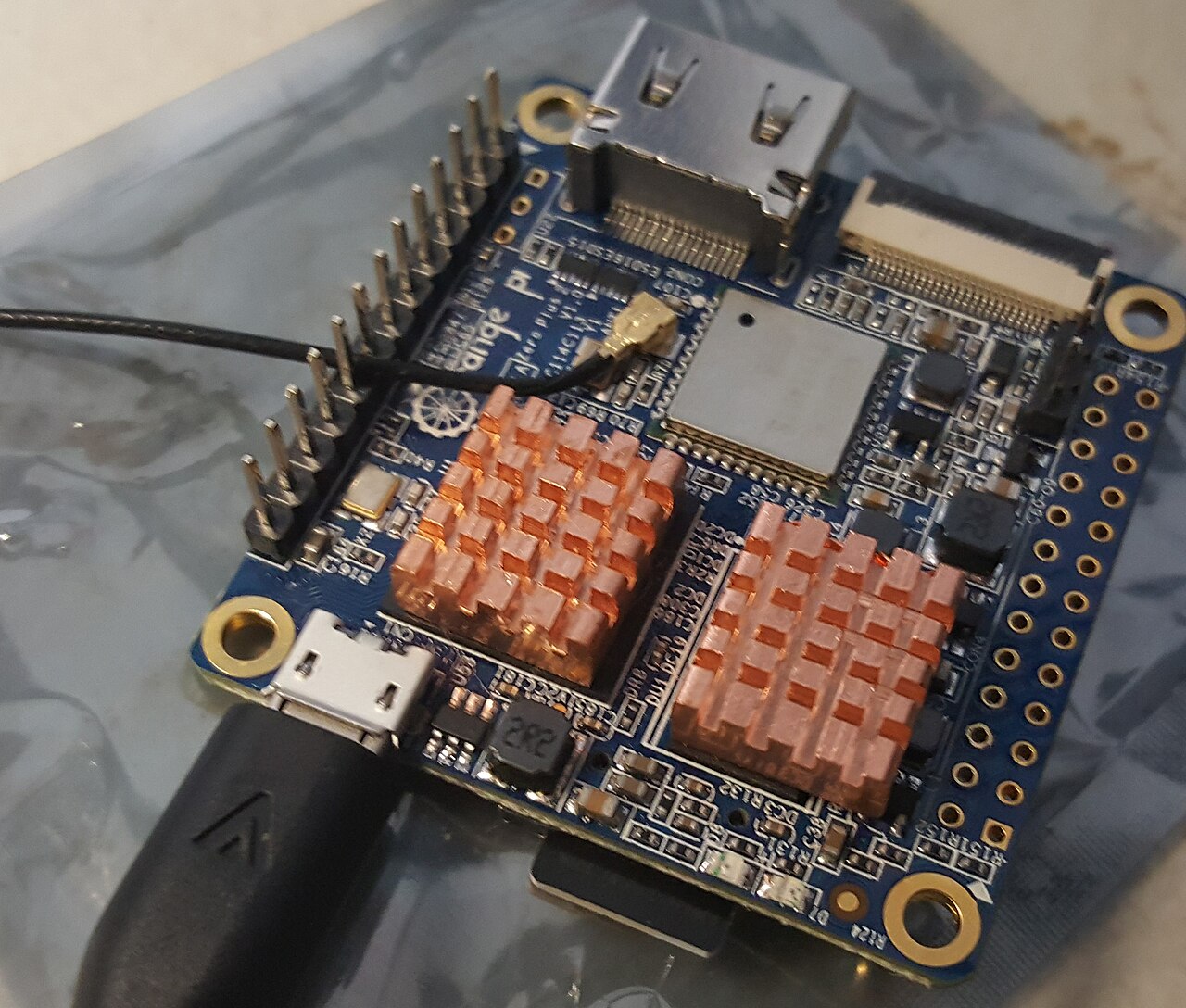
Two practical quirks worth knowing before you buy: the micro-HDMI port sits so close to the USB-C power port that many HDMI adapters won't physically fit, and the board is designed to run headless — plan on SSH from day one.
The setup, honestly described
Our own Home DNS Appliance Kit (A$78.29) is this board, configured as a build-to-order network sinkhole with Pi-hole's documented one-step install as the software core. If you would rather build it yourself, the parts are:
- Orange Pi Zero 3 (4 GB) — A$38.82
- Case, fan and heatsink kit — A$19.67 (the fan is optional for DNS duty, useful once you add services)
- 5 V/4 A USB-C PSU, AU plug — A$16.38 — underpowering a Pi is the classic cause of mystery reboots
- The OpenWrt travel router (A$32.24) if you want the same protection on the road
The build sequence is an evening, not a weekend. Flash the Armbian Debian minimal image to a decent SD card (avoid the cheapest no-name cards — they're the first thing to fail), boot it, and SSH in with the default credentials so you can change them immediately. Point the router's DHCP settings at the board for DNS, install Pi-hole with the one-line installer, and its admin dashboard shows you the query volume within minutes. The first day's block statistics are usually a surprise — 15-25 per cent of household DNS traffic is typically telemetry and ad networks, and a smart TV is often the single noisiest client on the network.
If you don't need HDMI at all — and for DNS duty you never will — skip the adapter problem entirely and run it headless from first boot. The micro-HDMI quirk only bites people who assumed they'd need a monitor.
What it can carry
Beyond DNS, the 4 GB Zero 3 comfortably runs a WireGuard or Tailscale endpoint for reaching home devices when you travel, a local password manager, and small Docker services. Tailscale is the lower-effort option of the two: it handles NAT traversal and key exchange for you, and its WireGuard overview explains how it builds on WireGuard's kernel implementation rather than replacing it — you get the same protocol with none of the endpoint wrangling. Pi-hole itself remains free software from pi-hole.net, actively maintained and documented well enough that most questions have a forum answer already waiting.
What it will not do: media transcoding, heavy NAS duty, or anything that wants CPU cores by the dozen. Treat it as a network appliance with talents, not a desktop. I've seen people burn weeks trying to make an H618 transcode for Jellyfin; the NPU and the decoder support aren't worth the fight on Armbian, and a used mini PC costs less than the time you'd lose.
The honest caveats
- DNS is infrastructure. If the box dies, your household's internet appears broken. Have a fallback configured — most routers let you set a secondary resolver.
- A private DNS resolver shifts trust, it does not erase it. Pi-hole still forwards unanswered queries to upstream resolvers; you are removing ad-tech observation on your LAN, not anonymising yourself from your ISP. Our Tor guide covers what stronger anonymity actually costs.
- Keep it patched. A headless box on your LAN is part of your attack surface. Enable unattended-upgrades, change the default Armbian credentials at first boot, and don't expose the admin interface to the internet.
- SD cards wear out. For a long-lived appliance, a small eMMC module or periodic backup of the Pi-hole configuration is cheap insurance. Pi-hole has built-in Teleporter export for exactly this — run it monthly and keep a copy somewhere other than the same SD card.
- The fan kit isn't precious. For DNS alone the board stays cool enough; once you stack a VPN endpoint and a container or two, the case fan earns its A$19.67 share. This is a judgment call, not a requirement.
Why this matters in Australia
No Australian law obliges a household to run its own DNS, and nothing here is legal advice — this is engineering. The privacy case is straightforward: telemetry from smart TVs, phones and IoT devices flows through DNS regardless of what privacy policies say, and the AU metadata retention regime means your ISP already keeps connection records. A local resolver reduces what ad networks and device vendors see, which is the one part of the pipeline you can control.
There's also an availability angle that gets overlooked. When a CDN goes down or an ad network misbehaves, a Pi-hole log shows you exactly which domains failed — which turns "the internet is broken" into "this one domain is broken", and sometimes that domain is your router's update server calling home. Families with kids get a second benefit: per-client query logs make it practical to see what a device is doing without installing monitoring software on it.
For around A$75 in parts and an hour of setup, the Zero 3 gives your household a DNS layer you own, logs you can read, and a platform that grows into VPN and self-hosted services when you're ready. That is a better privacy return than almost any other spend in our catalog.