"Bruce firmware on the ESP32: what it does and how to install it"
Bruce firmware on the ESP32: what it does and how to install it
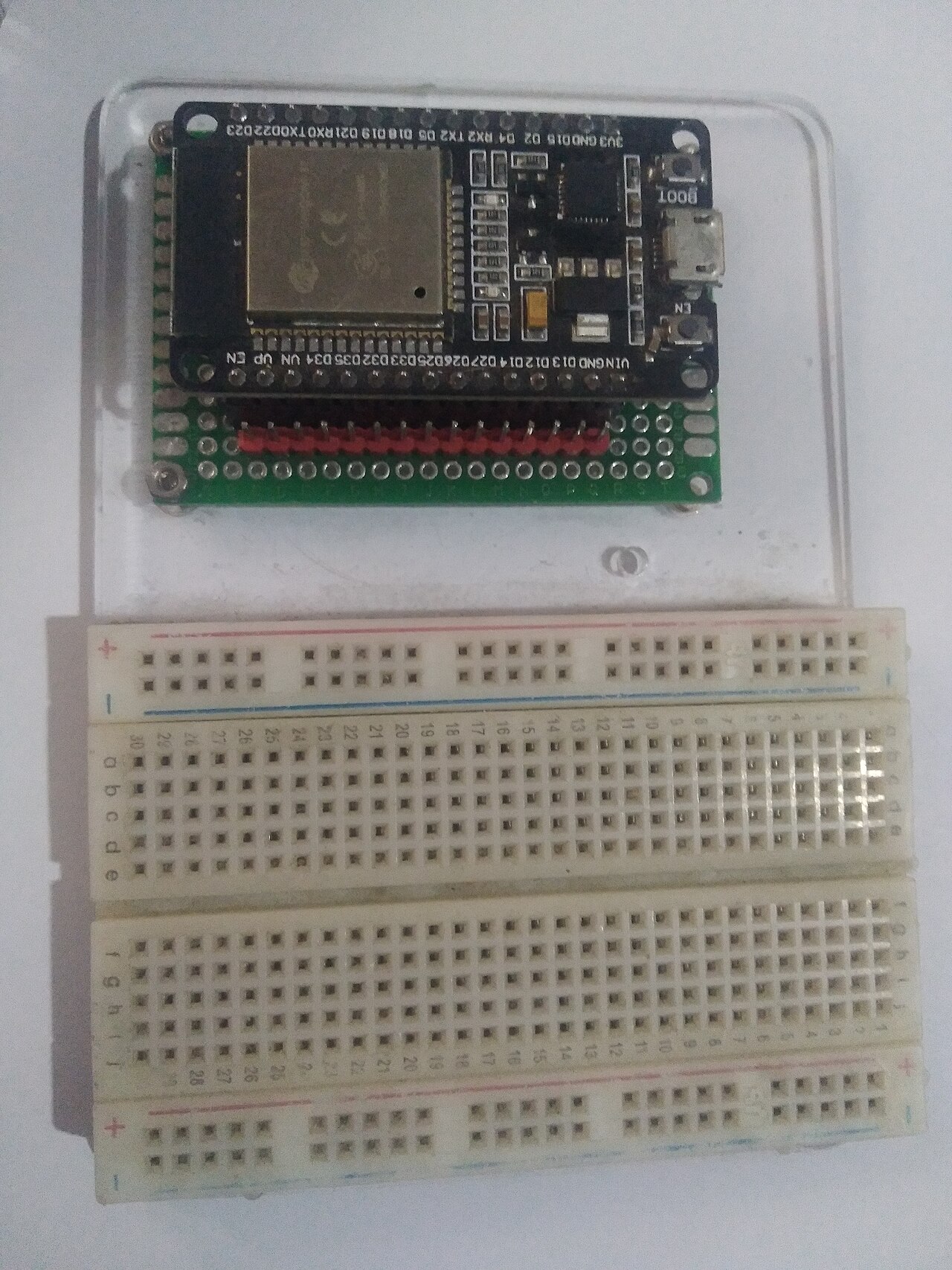
If you've spent any time around modern ESP32 hardware, you'll have seen Bruce mentioned alongside Marauder as the two firmware ecosystems that turned a handful of cheap display boards into genuine pocket multi-tools. Bruce is an open-source ESP32 firmware built around a menu-driven suite of wireless and hardware tools — Wi-Fi analysis, sub-GHz work, NFC/RFID, infrared, BadUSB and more — and it runs on a long list of boards, including the ESP32 Dev Board pictured above, the Cardputer, M5Sticks, T-Decks and T-Embeds, and the Cheap Yellow Display family. The project publishes its code under the AGPL licence and its open hardware under CERN-OHL-P-2.0, which means you can audit everything it does before you flash it (BruceDevices/firmware, bruce.computer).

What it's actually for
Bruce advertises itself as a red-team tool, and the framing matters. In the hands of a security professional doing an authorised assessment, it's a way to carry Wi-Fi site surveys, Evil Portal demonstrations, EAPOL handshake capture, wardriving logs and NFC probing in one device instead of a laptop bag. In the hands of everyone else, most of the same menus are equally useful for legitimate work: checking your own network's coverage, logging the access points around your home or business, reading the UID of your own access card, or prototyping IR remotes.
The lawful-use line in Australia is the same one we've covered in our WiFi testing law guide: scanning and passive logging of public broadcasts is fine; intercepting other people's traffic, capturing handshakes on networks you don't own, or deauthing anything you're not authorised to test is not. Bruce has capabilities that cross that line, and it's your responsibility — not the firmware's — to stay on the right side of it. Same discipline applies to the 433/868 MHz radio work the firmware supports: see our radio law notes in the SDR starter post.
Installing it: the web flasher route
The easiest path is the project's official web flasher, which uses the browser's WebSerial API to write the firmware straight onto a USB-connected board — no drivers, no esptool, no command line. Pick your exact board from the device list, click, and wait. If you prefer the manual route, the README documents the classic approach: download the binary for your device from the releases page and flash it with esptool.py over USB. For M5Stack devices already running M5Launcher, Bruce can even be installed over OTA.
The project maintains full documentation of every module and supported board in the Bruce wiki, including per-device feature tables that tell you which tools work on which hardware — worth reading before you buy anything, because features like sub-GHz transmission depend on the board carrying a CC1101 module, and NFC work needs a PN532.
Which board should you run it on?
That per-device feature table maps neatly onto the hardware we build:
- StealthDeck Lite (A$104.88) — an ESP32-2432S028 CYD with a CC1101 sub-GHz radio, nRF24L01+PA/LNA and PN532 NFC already wired in. This is the board Bruce's feature matrix rewards most: Wi-Fi, sub-GHz, NFC and 2.4 GHz all in one handheld.
- StealthDeck Pro (A$180.88) — a LILYGO T-Embed CC1101 with a PN532, battery and nRF24 shield, one of the devices Bruce supports directly upstream.
- StealthPuter (A$89.68) — the M5Stack Cardputer Advance, with its built-in keyboard making the terminal-ish parts of Bruce much more usable, plus IR.
- StealthDeck Micro (A$59) — M5StickC Plus2 with CC1101 and nRF24, the shirt-pocket option.
All four ship built and tested with Bruce or compatible firmware, so you're flashing nothing unless you want to — you just power one on and pick from the menu.
Affiliate disclosure: products linked are our own store, built and tested locally in Australia.
One rule to keep
Bruce makes it effortless to do wireless work that ranges from perfectly lawful to genuinely criminal, depending on where you point it. The test we apply before every job: would I be comfortable explaining this to the owner of the network, or the police? If the answer is no, the tool stays in the drawer. Run it on your own gear, in authorised engagements, or on public broadcast data only — that's what the project itself says the tool is for, and it's what keeps this hobby legal in Australia.
This post is general information, not legal advice.