"Your first ESP32 security audit toolkit for under A$150"
Your first ESP32 security audit toolkit for under A$150
You don't need a A$500 Flipper accessorised to oblivion to learn wireless security testing. A handful of ESP32 boards, a decent antenna, and some patience will teach you more than any all-in-one gadget — because you built it and you understand every layer. Here's a parts list that comes in under A$150, framed for lawful use: your own networks, your own gear, or engagements you have written permission for.
The parts list (AUD, ballpark)
| Part | Purpose | Approx. price |
|---|---|---|
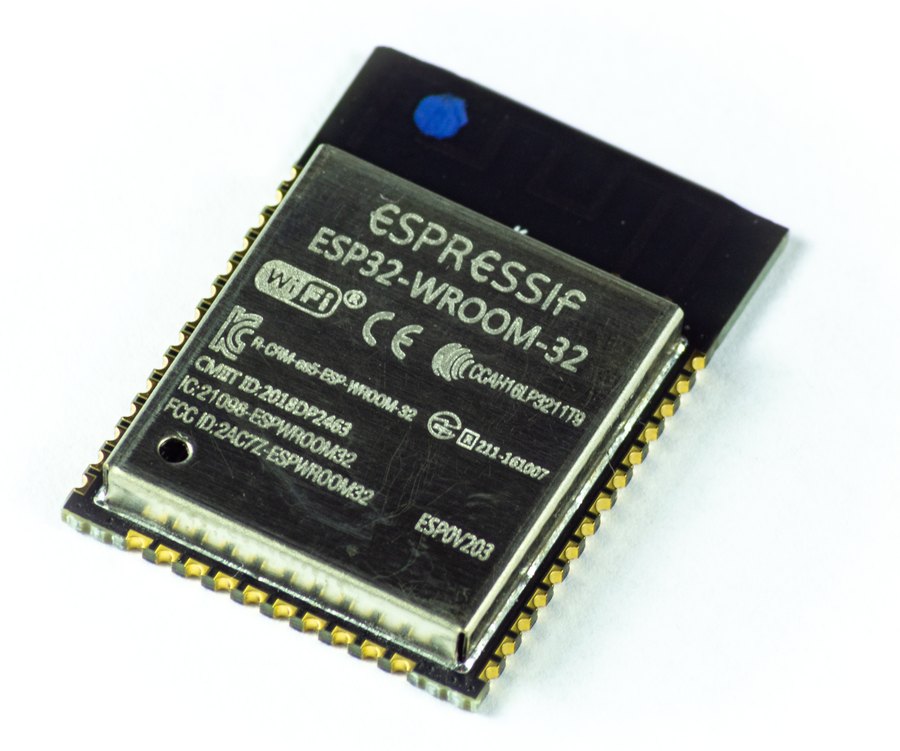
| ESP32-WROOM dev board (x2) | Core radio platform for everything below | A$12 each |
| ESP32 with external antenna (ESP32-WROVER or similar) | Better RX range for monitor-mode work | A$20 |
| 2.4GHz antenna + u.FL/IPEX pigtail | Directional-ish scanning on the antenna board | A$10 |
| 0.96" OLED (I2C) | Standalone operation, no phone needed | A$6 |
| 18650 + TP4056 charging module | Portable battery power | A$10 |
| USB data cables (x2) | Flashing and serial monitor — many "USB" cables are charge-only, buy real ones | A$10 |
| MicroSD breakout | Packet capture logs off-device | A$5 |
| Assorted dupont wires + small breadboard | Prototyping | A$10 |
| Remaining ~A$50 | Second battery, spare boards (they die), shipping buffer | A$50 |
| Total | ~A$145 |
What you can actually build
- WiFi analysis tool. Firmware like ESP32 Marauder gives you scanning, client enumeration, and frame capture in a pocket form factor — the community around it is active and the v6 hardware runs about US$60 if you'd rather buy than build. (Hackster, Hacker Warehouse)
- Packet sniffer / pcap logger. Monitor mode on the ESP32 captures 802.11 frames to SD card for offline analysis in Wireshark.
- BLE scanner. Same boards do Bluetooth discovery — useful for auditing your own IoT device sprawl.
- Deauth detection (not deauthing). Detecting deauthentication frames against your own AP is a legitimate and genuinely useful build. Injecting them against networks you don't own is not, anywhere in Australia.
Lawful use, plainly stated
In Australia, unauthorised access to computer systems and interference with communications services are criminal offences. Everything in this toolkit is aimed at auditing networks you own or are engaged to test. Frame it that way from day one: document scope before you test, even at home, because the habit carries over to professional work.
The build order we suggest
Don't buy everything at once. Start with one dev board and a data cable — that's about A$25 — and get comfortable flashing firmware and reading a serial console. Most people burn their first board or two on a bad flash or a charge-only cable, so cheap spares matter more than a fancy antenna at the start.
Once the basics work, add the OLED and battery modules so the tool works untethered. The antenna board and SD logging come last, when you actually have captures you want to keep. Spreading the spend over a few months also smooths the budget and means you buy parts you've confirmed you need, not parts a video said you'd need.
Why build instead of buy
The commercial all-in-ones are great, but you learn faster when the firmware is something you flashed, the serial console is something you watched, and the bug is something you debugged at 1am. Start with one board and the OLED; add the rest as the projects demand it.
Our assembled ESP32 gadgets use this same stack, built and tested locally — see the StealthDeck ESP32 builds if you'd rather skip the soldering, or grab the parts bundles to build it yourself.